
Inspections, included with Realworks. Built for Queensland.
Run entry, exit and routine inspections on site, and Realworks fills in the Queensland form for you. There's no need for a separate inspection app.
For iPhone and iPad.
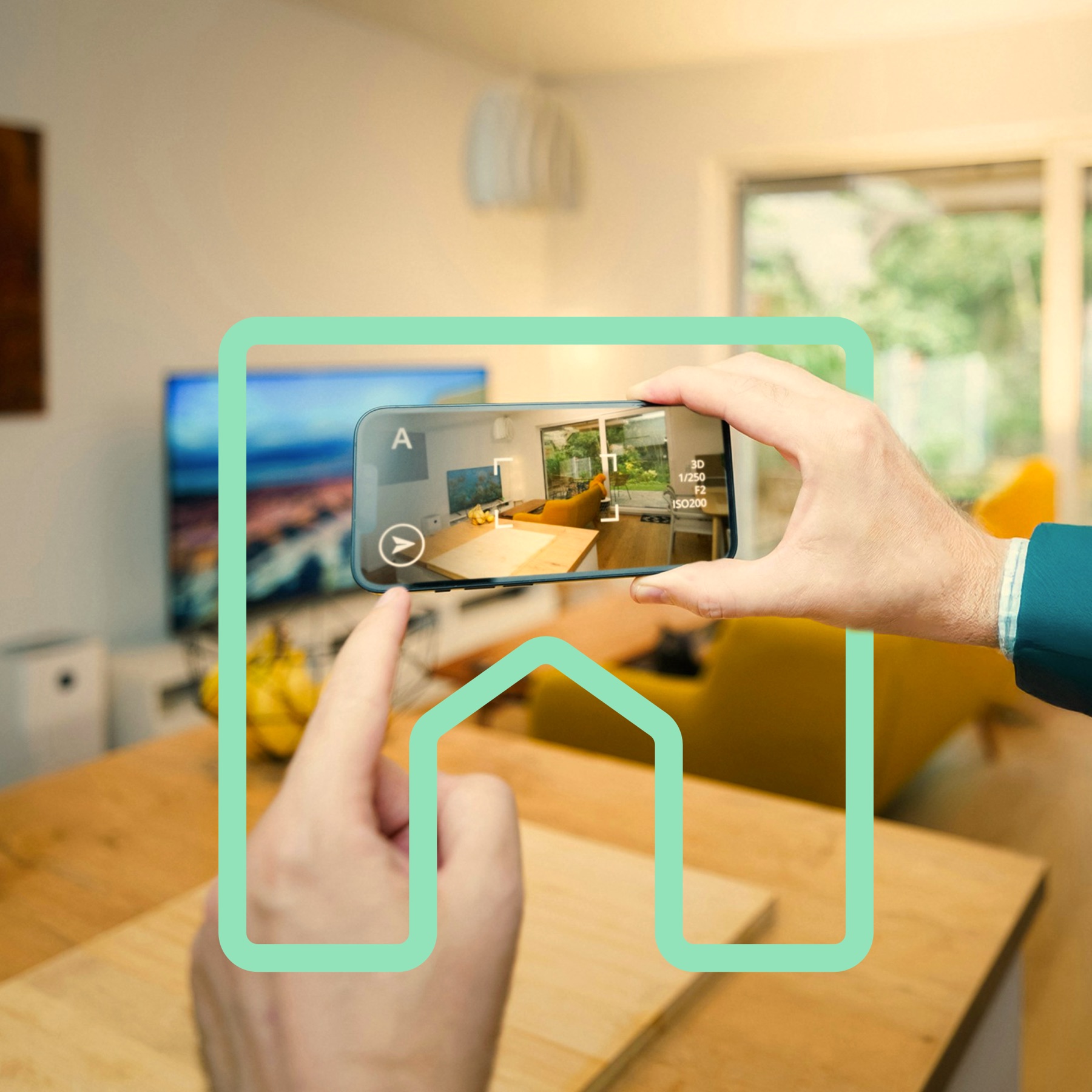
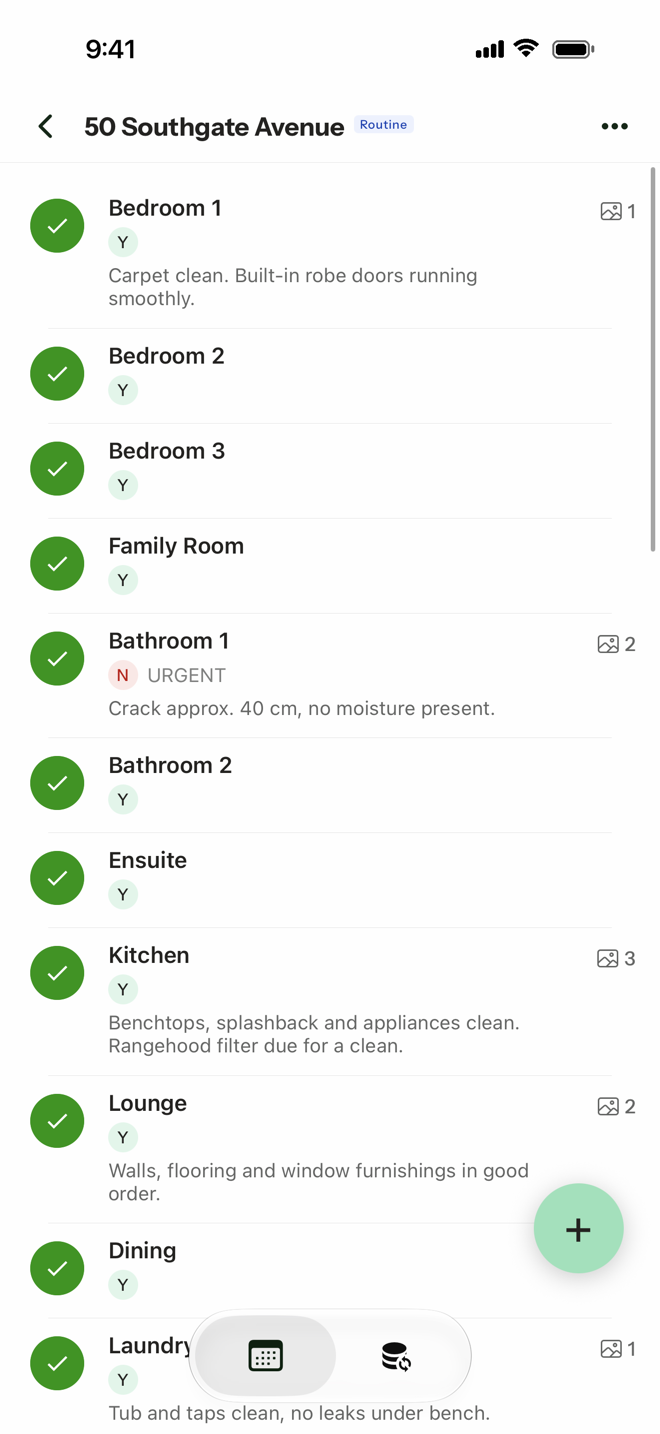
Entry, exit and routine. All in one app.
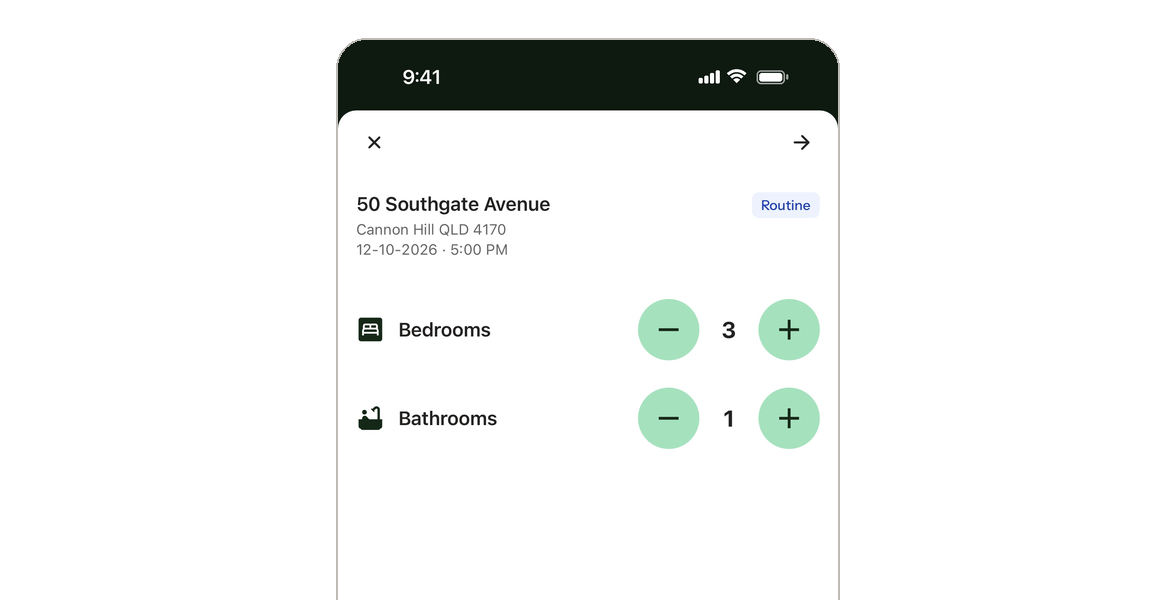
Choose the inspection type, add the property, and Inspect builds the room list from the number of bedrooms and bathrooms.
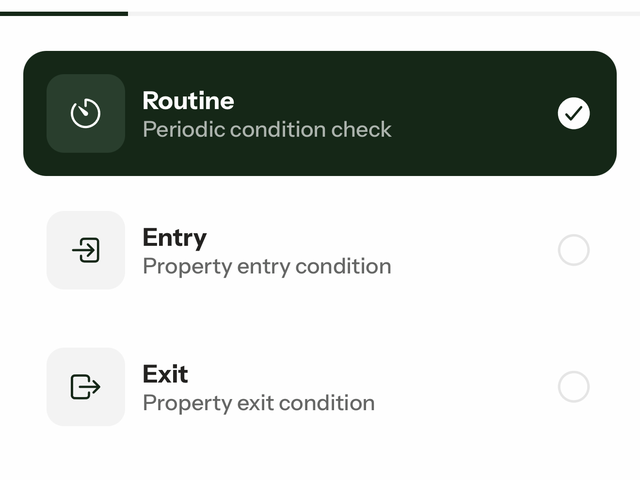
Entry inspections
Each room lists the items from the condition report. Record each one as clean, undamaged and working, add comments and photos. Your entry condition report starts in Realworks as soon as you create the inspection.
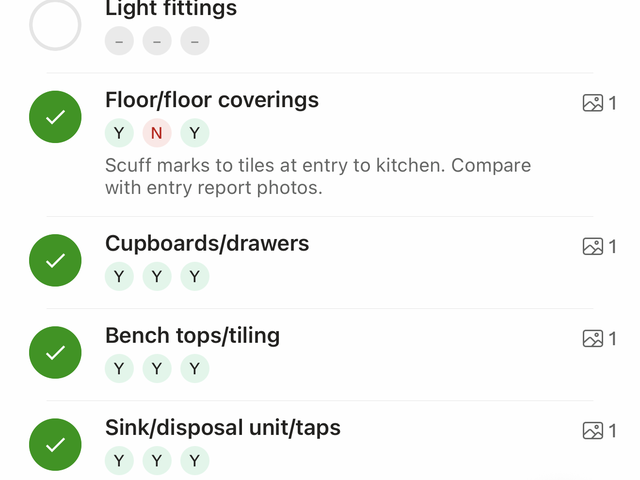
Exit inspections
The same room-by-room items, so you can record the condition at the end of the tenancy. Mark a whole room satisfactory in one tap, then note what's different.
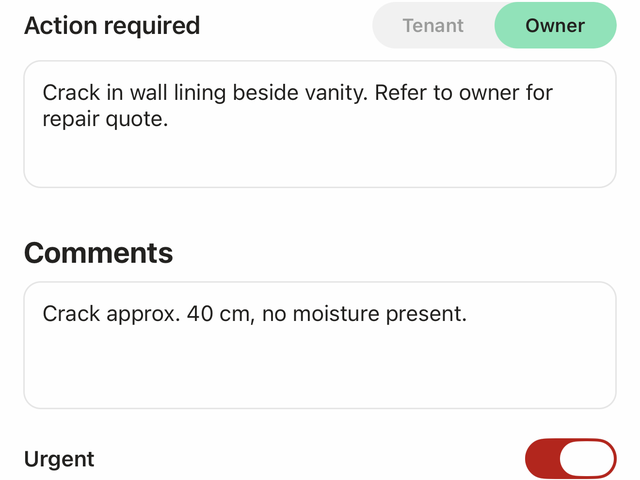
Routine inspections
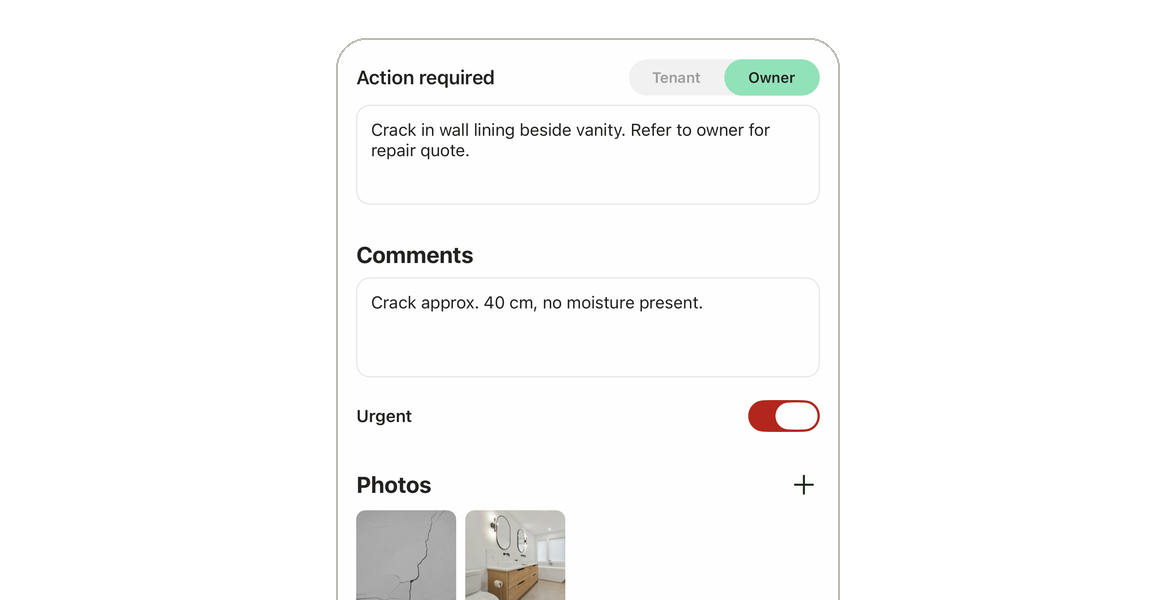
Mark each room or area satisfactory or unsatisfactory, from the kitchen to the gardens, smoke alarms and pool. For anything unsatisfactory, note the action required and whether it's for the tenant or owner. Add comments and photos, and flag anything urgent.
The short version.
- Included
- Included with Realworks. No extra subscription.
- Queensland
- Built for Queensland offices.
- Integrated
- Your inspection becomes the form in Realworks. No re-entry.
- Devices
- iPhone and iPad.
- Offline
- Works offline.
- Photos
- Room-by-room photos. A photo report is attached in Realworks.
- 3D scan
- Optional 3D property scan on compatible devices.
More value from Realworks
E-signing with Livesign
Send any Realworks form for signing, straight from the platform. Included at no extra cost.
See how to send with Livesign →Inspections with Inspect
Run entry, exit and routine inspections, and Realworks fills in the form. Included at no extra cost.

Get Inspect by Realworks
On the App Store for iPhone and iPad. Scan the code with your phone's camera, or tap the badge.

On a computer? Scan with your iPhone or iPad camera.
Requires iOS 16.4 or later. Developer shown on the App Store: Little Hinges Pty Ltd.
How it fits with Realworks
Start in Realworks, inspect on site, finish in Realworks.
 01
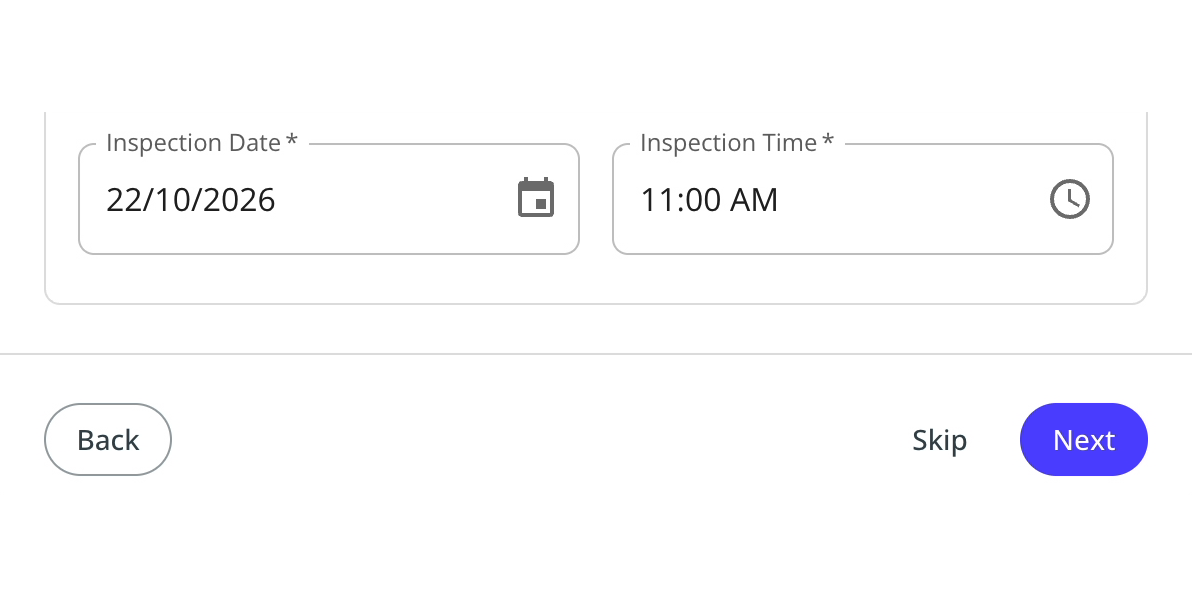
01Schedule it in Realworks.
When you create the form in Realworks, confirm the inspection date and time. The inspection is scheduled in Inspect.
 02
02It's on your iPhone or iPad.
Pull to refresh the Schedule tab and the inspection is there. Or tap + to start one on the spot.
 03
03Inspect room by room.
Record each room, add comments and photos, flag anything urgent. It works offline.
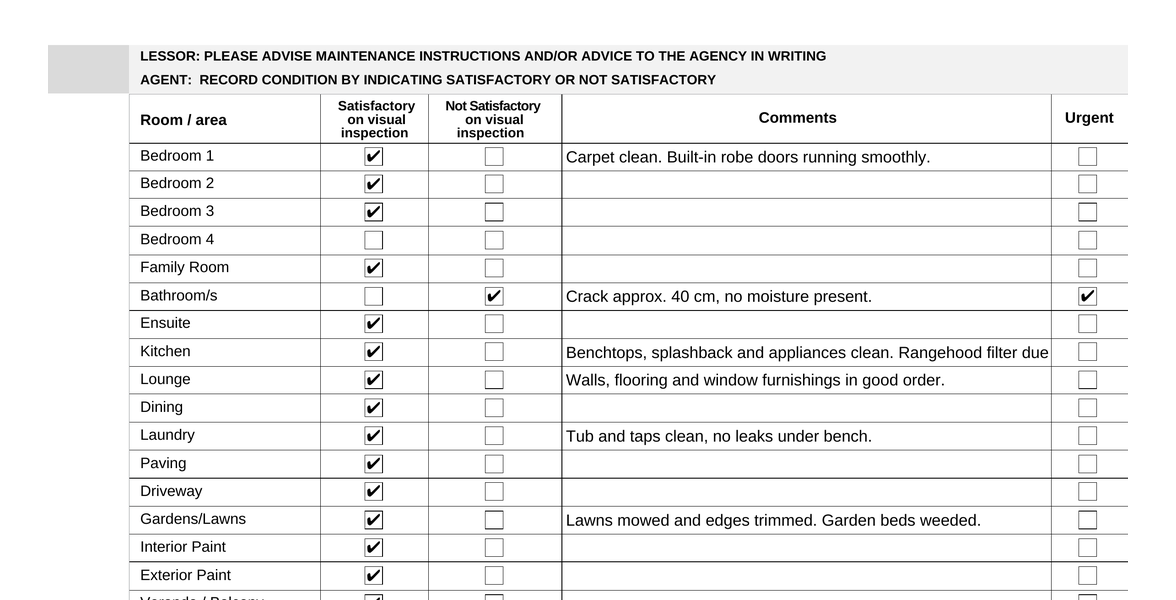 04
04Realworks fills in the form for you.
Mark the inspection complete. Back in the office, it's already in Realworks: the form is filled in from your inspection, with a photo report attached, photos grouped by room and dated. Review it, then use Stamp and complete. No re-entry.
Connect Inspect under Realworks → Integrations. Step-by-step guides are in the Realworks Help Centre.
Launching in early access
You're getting early access to this feature before its wider release. Give it a try and tell us what you think. Your feedback will help shape future improvements and ensure we're building something that's valuable for you.
Already using another inspection app?
Inspect is included with Realworks, so there's nothing extra to subscribe to. Because your inspection becomes the form in Realworks, there's no copying from one system to another. Run your next routine inspection in Inspect and see how it fits your office.
Frequently asked questions
More answers in the Inspect section of the Help Centre →Is Inspect by Realworks included in our Realworks subscription?
Yes. Inspect by Realworks is included with Realworks. There's no extra subscription, and it's included at no extra cost.
How does Inspect work with Realworks?
Connect Inspect under Realworks → Integrations. You can schedule an inspection when you create a form in Realworks, or start one in the app. When you create an inspection in the app, the draft form is created in Realworks too. When you mark the inspection complete, Realworks fills in the form for you and attaches a photo report. You review it and use Stamp and complete, as usual. No re-entry.
Which inspections can we do?
Entry, exit and routine inspections. Entry and exit inspections list the condition report items for each room. Routine inspections let you mark each room or area satisfactory or unsatisfactory and flag anything urgent.
Can our office use Inspect on Android?
Inspect by Realworks is for iPhone and iPad. There is no Android release date to share. Get notified when there's news on our Android page.
Do we need the 3D scan?
No. The 3D property scan is optional and uses LiDAR on compatible devices. It doesn't form part of the condition report.

Your next inspection, ready in Realworks.
Included with Realworks. Built for Queensland.
Apple and the Apple logo are trademarks of Apple Inc., registered in the U.S. and other countries. App Store is a service mark of Apple Inc.